
How to Master Video Annotation: A Step-by-Step Guide
Quick Answer
Learn the essential steps to excel in video annotation, a key skill in AI development. Perfect for beginners in the Philippines.
Table of Contents
With the growing demand for AI and machine learning, video annotation has become a crucial skill. As the Philippines' internet penetration reaches 67.26% in 2024, becoming adept at this task could open up vast opportunities. Here's a step-by-step guide to help you master video annotation.
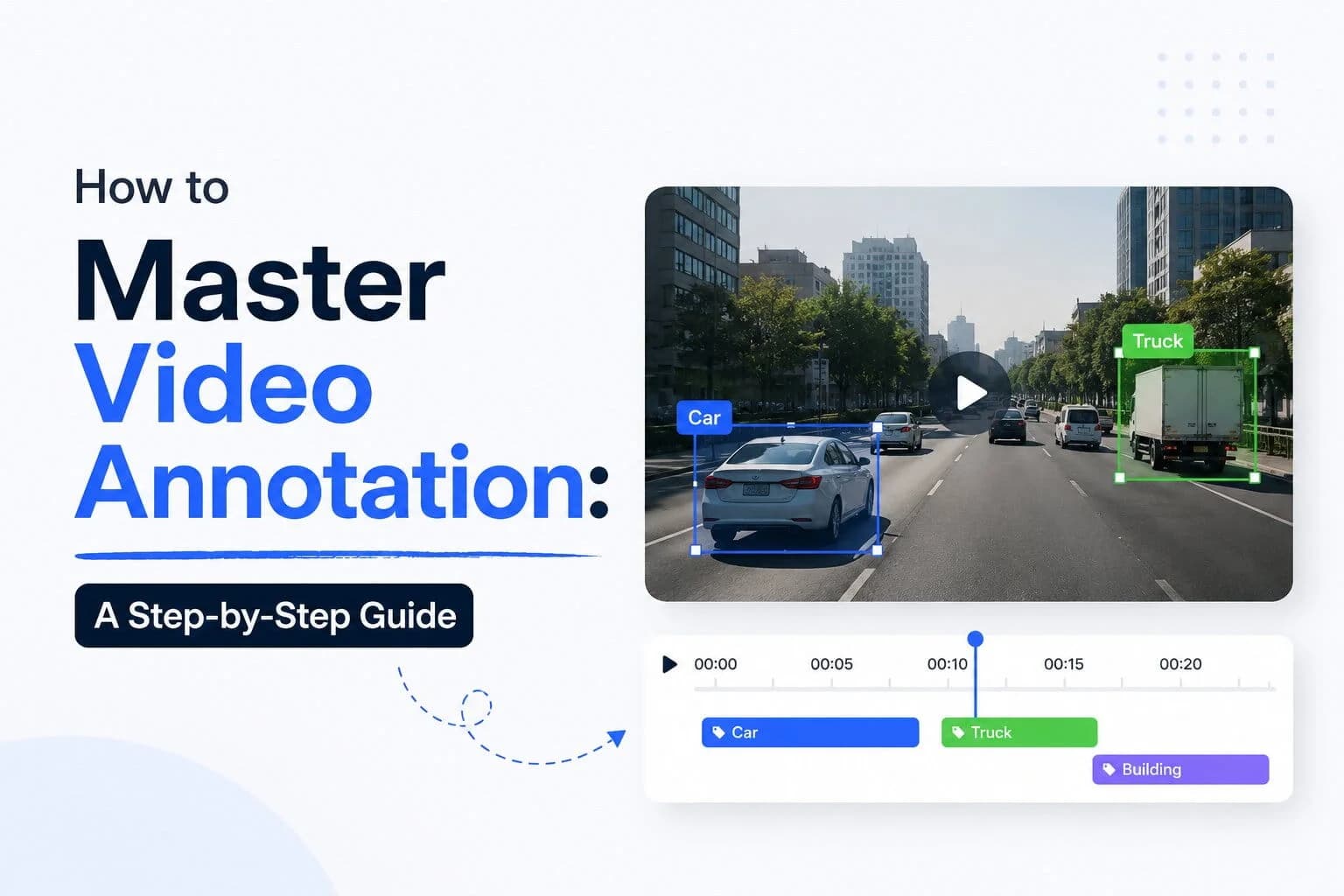
Video annotation involves labeling or tagging video content with metadata for machine learning purposes. This process helps AI systems to understand and process visual data more effectively. By mastering video annotation, you contribute significantly to the development of intelligent systems.
Table of Contents
Step 1: Understanding Video Annotation
Before diving into the process, it's essential to understand what video annotation entails. At its core, video annotation is about adding metadata to videos, transforming them into valuable datasets for machine learning. This metadata can include bounding boxes, polygons, and keypoints that identify objects, actions, or other features within the video. Such detailed labeling is what enables AI models to recognize and interpret these elements accurately.
Video annotation is especially crucial in fields like autonomous driving, where precise object detection and recognition are vital. Consider a self-driving car that must identify pedestrians, other vehicles, and road signs. Annotated video data helps train the AI to detect these elements in real-time scenarios, making it safer and more reliable. This process isn't just about drawing boxes around objects; it's about providing context to each frame, ensuring that the AI can distinguish between a pedestrian and a cyclist, for example.
The importance of video annotation extends beyond technology; it's an integral part of the AI development lifecycle. As AI systems become more complex, the demand for accurate and detailed video annotation grows. This demand is reflected in the increasing number of job opportunities for annotators, especially in emerging markets like the Philippines, where the labor force reached 52,204,133 in 2025 according to the World Bank.
Step 2: Choosing the Right Tools
Selecting the appropriate tools is vital for effective video annotation. The right tool can make the difference between efficient, high-quality work and a frustrating, error-prone process. Popular tools like Labelbox, VGG Image Annotator, and RectLabel offer various features that can cater to different project needs. Each tool has its strengths, and choosing the right one depends largely on the specific requirements of your annotation project.
When selecting a tool, consider factors such as the user interface, the types of annotations supported, and how well it integrates with other AI development environments. For instance, Labelbox offers a user-friendly interface with robust support for team collaboration, making it a preferred choice for larger projects. On the other hand, VGG Image Annotator is a free, open-source option that supports a wide range of annotation types, ideal for smaller, budget-conscious projects.
Additionally, the consideration of automation features is essential. Some tools incorporate AI-assisted annotation, which can significantly reduce the time spent on manual labeling. This feature is especially useful in projects with large datasets, where manual annotation would be too time-consuming. By automating repetitive tasks, you can focus on the more complex aspects of annotation that require human intuition and understanding.
Step 3: Labeling Techniques
Once you have your tools set up, it's time to start labeling. Effective video annotation requires a solid understanding of various labeling techniques. Each technique serves a different purpose and choosing the right one depends on the nature of your project. Here are some common techniques:
Bounding Boxes: These are the most commonly used annotations, employed to identify and label objects within the video frame. Bounding boxes are rectangular outlines drawn over objects, providing a clear indication of their location and size. This technique is particularly useful in scenarios where the object of interest is well-defined and separable from its surroundings.
Polygons: When you need more precision than bounding boxes can offer, polygons are the way to go. They allow for the annotation of irregular shapes, which is crucial in tasks like facial recognition or tracking non-rectangular objects. With polygons, you can define the exact contours of an object, enhancing the AI's ability to distinguish complex shapes and patterns.
Keypoints: Keypoint annotation is essential for tracking movements or identifying specific points on an object, such as facial landmarks in emotion detection or joint positions in sports analytics. This technique involves marking specific points of interest and is often used in conjunction with other annotation methods to provide a comprehensive dataset.
Step 4: Quality Control and Review
Quality control is a crucial step in the video annotation process. The accuracy of your annotations directly impacts the effectiveness of the AI models trained with this data. Therefore, it's essential to have a robust quality control and review process in place. Regularly reviewing your work ensures that it meets the project's standards and requirements.
One effective approach to quality control is implementing peer reviews. Having another set of eyes check your annotations can help identify errors or inconsistencies that you might have missed. This collaborative approach not only improves the quality of the annotations but also fosters a learning environment where team members can share insights and techniques.
In addition to manual reviews, many annotation tools offer automated quality checks. These features can identify common issues like overlapping annotations or incorrect labeling, alerting you to potential problems before they affect the AI model's performance. By combining manual and automated checks, you can ensure that your annotations are both accurate and comprehensive.
Step 5: Advanced Tips and Tricks
As you become more proficient in video annotation, there are several advanced techniques and tricks that can enhance your efficiency and accuracy. One such technique is leveraging AI-assisted annotation tools. These tools use machine learning algorithms to predict and suggest annotations, significantly speeding up the process. While AI-assisted annotation can never fully replace human intuition, it offers a great way to handle large datasets more efficiently.
Another advanced strategy is to focus on collaboration. Working as part of a team allows you to distribute workload and incorporate diverse perspectives, leading to more comprehensive and accurate annotations. Collaborative platforms enable multiple annotators to work on the same project simultaneously, ensuring consistency and efficiency across the dataset.
Finally, continuous learning is paramount in the rapidly evolving field of AI and video annotation. Stay updated with the latest trends, tools, and technologies to remain competitive. Engage with online communities, attend workshops, and participate in webinars to expand your knowledge and skills. By keeping abreast of industry developments, you can ensure that your annotation practices are aligned with current standards and best practices.
Video Annotation in the Philippines: Market Data
The Philippines, with a GDP per capita of USD 3,984.83 in 2024 and a total labor force of 52,204,133 in 2025, offers a dynamic environment for video annotation jobs. The country's high internet penetration rate of 67.26% in 2024 suggests a growing digital economy, which is favorable for technology-driven industries like AI development and video annotation. As the unemployment rate drops to 2.24% in 2025, skilled annotators are in demand, providing ample opportunities for career growth.
Given this context, professionals in the Philippines can leverage their skills in video annotation to tap into both local and global markets. The country's strategic location and English proficiency make it an attractive hub for outsourcing annotation services. By positioning themselves as experts in video annotation, Filipino professionals can cater to international clients seeking high-quality, cost-effective annotation solutions.
Furthermore, the growth of AI technologies in the Philippines is supported by government initiatives and investments in digital infrastructure. This creates an ecosystem that encourages innovation and collaboration, offering a fertile ground for professionals to develop and refine their annotation skills. As the demand for annotated video data continues to rise, the Philippines stands poised to become a key player in this global industry.
PH Economic Indicators
Indicator | Value | Year |
|---|---|---|
Internet users (% of population) | 67.26 | 2024 |
GDP per capita (USD) | 3,984.83 | 2024 |
Unemployment rate | 2.24 | 2025 |
Total labor force | 52,204,133 | 2025 |
Source: World Bank Open Data
The Hidden Challenges in Video Annotation
While video annotation presents many opportunities, it also comes with challenges. One often overlooked aspect is the time-intensive nature of the task. Annotators must balance between speed and accuracy, which can be demanding. The process requires meticulous attention to detail, as even minor errors can significantly impact the performance of AI models. This challenge is compounded when working with large datasets, where maintaining consistency and quality becomes increasingly difficult.
Another hidden challenge is the cultural nuances that can affect how annotations are interpreted by AI systems. For instance, cultural differences in interpreting gestures or expressions can lead to mislabeling, resulting in biased or inaccurate AI models. Annotators need to be culturally aware and sensitive when labeling data to ensure that the AI systems trained with this data are both accurate and fair.
Moreover, keeping up with the rapidly evolving technology landscape poses a significant challenge. As new tools and techniques emerge, annotators must continually update their skills and knowledge to remain effective. This requires a commitment to lifelong learning and adaptability, which can be challenging but is necessary to succeed in the dynamic field of video annotation.
Frequently Asked Questions
What is video annotation used for?
Video annotation is used to label video data for training AI models, helping systems understand and process visual information. This process is crucial in applications like autonomous vehicles, video surveillance, and sports analytics.
What tools are best for beginners in video annotation?
For beginners, tools like Labelbox and VGG Image Annotator offer user-friendly interfaces with comprehensive features that make it easy to get started. These tools provide a good balance between functionality and ease of use, ideal for those new to video annotation.
How can I improve my annotation skills?
Practice regularly, keep up with industry trends, and collaborate with peers to refine your skills. Engaging in community forums and attending workshops can also provide valuable insights and tips from experienced professionals.
Are there job opportunities for video annotators in the Philippines?
Yes, with the growing demand for AI development, video annotation jobs are on the rise, offering numerous opportunities for skilled professionals. The Philippines' favorable economic conditions and digital infrastructure further enhance these opportunities.
What are the main challenges in video annotation?
The main challenges include the time-consuming nature of manual annotations, ensuring accuracy, and being culturally sensitive to avoid biases in AI models. Staying updated with the latest tools and techniques is also crucial to overcoming these challenges.
You might also like
More guides on Ai Video Annotation.
How to Annotate a Video: Step-by-Step Guide for Beginners
Learn how to annotate a video with this detailed guide, perfect for beginners in the Philippines. Turn your videos into interactive experiences easily!
Step-by-Step Guide to LiDAR Annotation for Beginners
Learn how to annotate LiDAR data efficiently with this comprehensive guide designed for beginners in the Philippines.
How to Use Annotation on YouTube: A Step-by-Step Guide
Learn how to effectively use annotation on YouTube to enhance viewer engagement with this detailed step-by-step guide.
Latest Virtual Assistant Jobs
Fresh remote VA roles: apply directly
Controller for Financial Operations at Ritual - Remote
Drive Business Performance as Chief of Staff, CCO at Ping Identity - Remote
Enterprise Account Executive for Federal Civilian at Asana - Hybrid
Lead Product-Led Growth Strategies at Upsun - Remote