Virtual Staffer Philippines LogoVirtualStaffer
Hire VAsVA JobsCompaniesBlogsPros & ConsCoursesToolsPricingContact
Post JobFind New JobLogin

Virtual Staff Jobs by Type

  • Remote Jobs Jobs
  • Virtual Assistant Jobs
  • Work From Home Jobs
  • Airbnb Jobs
  • Software Engineer Jobs
  • Philippine Remote Workers Jobs
  • Remote Work Jobs
  • Virtual Staff Jobs
  • Social Media Jobs
  • Digital Marketing Jobs
  • Design Jobs
  • Program Manager Jobs
  • Customer Service Jobs
  • Customer Support Jobs
  • Data Entry Jobs
  • Entry-Level Jobs
  • Full-Time Jobs
  • Graphic Design Jobs
  • Remote Jobs Philippines Jobs
  • Remote Team Jobs
  • Contract Work Jobs
  • Executive Assistant Jobs
  • Full Stack Jobs
  • Remote Admin Jobs Jobs
  • Administrative Assistant Jobs
  • Backend Jobs
  • Finance Jobs
  • Freelancer Jobs
  • Graphic Designer Jobs
  • Legal Jobs
  • Marketing Manager Jobs
  • Project Manager Jobs
  • Technical Support Jobs
  • Accounting Jobs
  • Analytics Jobs
  • Content Creation Jobs
  • Data Annotation Jobs
  • Data Annotator Jobs
  • Design Jobs Jobs
  • E-Commerce Jobs
  • Entry Level Jobs
  • Flexible Hours Jobs
  • Flexible Work Jobs
  • Instagram Jobs
  • Machine Learning Jobs
  • Part-Time Jobs
  • Sales Representative Jobs
  • Senior Roles Jobs
  • Social Media Manager Jobs
  • Technical Support Specialist Jobs
  • Video Editor Jobs
  • Virtual Assistant Jobs Jobs
  • Accountant Jobs
  • Admin Jobs Jobs
  • Ai Jobs Jobs
  • Amazon Jobs
  • Appointment Setter Jobs
  • Automation Engineer Jobs
  • Azure Jobs
  • Bpo Companies Jobs
  • Creative Jobs
  • Creative Jobs Jobs
  • Creative Roles Jobs
  • Customer Success Jobs
  • Ecommerce Jobs
  • Financial Services Jobs
  • Fintech Jobs
  • Google Ads Jobs
  • Healthcare Jobs
  • Healthcare Sales Jobs
  • Hybrid Work Jobs
  • Influencer Jobs
  • Lead Generation Jobs
  • Management Jobs
  • Marketing Coordinator Jobs
  • Marketing Specialist Jobs
  • Motion Graphics Jobs
  • Node Jobs
  • Outsourcing Jobs
  • Part-Time Jobs Jobs

Browse by Category

  • All Engineering
  • All Finance
  • All Marketing
  • All Sales & Customer Success
  • All Design
  • All Product & UX
  • All Project Management
  • All Customer Support
  • All HR
  • All Legal
  • All Administrative
  • All Logistics
  • All Media
  • All Education
  • All Healthcare
  • All Data & Analytics

By Employment Type

  • Full Time Jobs
  • Part Time Jobs
  • Contract Jobs
  • Internship Jobs

By Location

  • Jobs in worldwide
  • Jobs in Philippines
  • Jobs in Worldwide
  • Jobs in Singapore
  • Jobs in United States
  • Jobs in China
  • Jobs in Japan
  • Jobs in Australia
  • Jobs in Anywhere
  • Jobs in Mexico

Virtual Staff Jobs by Company

  • Rireet Chansons VA Jobs
  • Fertility Bridge, LLC VA Jobs
  • careersprint VA Jobs
  • Bridging Strategies LTD VA Jobs
  • Virtual Coworker VA Jobs
  • Jobs for Humanity VA Jobs
  • AgencyCRM VA Jobs
  • Llc VA Jobs
  • Skillerszone VA Jobs
  • Crossing Hurdles VA Jobs

Free VA & Freelancer Tools

View all tools →

Resume & CV Tools

  • Resume Summary Generator
  • Resume Keywords Generator
  • Resume Headline Generator
  • Resume Bullet Point Generator
  • Resume Description Generator
  • Content Creator Resume
  • Harvard CV Generator

Calculator & Converter Tools

  • Hourly Rate Calculator
  • Hourly to Salary Converter
  • Time Zone Converter
  • Outsourcing Cost Calculator

Invoice & Contract Tools

  • Free Invoice Generator
  • Invoice Number Generator
  • Employee Contract Guide

Font & Text Tools

  • Serif Font Generator
  • Typewriter Font Generator
  • Mirror Text Generator
  • Cursive Font Generator

Data & Productivity Tools

  • Excel Formula Generator
  • Scatter Plot Generator

Random Generators

  • Random IMEI Generator
  • Random Time Generator

© 2026 Virtual Staffer Philippines • All Rights Reserved

TermsPrivacyContact
Home/Guides/Virtual Assistant Laptop Requirements Guide

Virtual Assistant Laptop Requirements Guide
Marco Villanueva·4/17/2026·2 min read
Virtual Assistant Laptop Requirements Guide

Quick Answer

What laptop and technical requirements do you need to work as a virtual assistant? Learn the device specs, internet speed, and software setup for a successful VA career from home.

Table of Contents

  1. 1.1. Reliable Computer or Laptop
  2. 2.2. High-Speed Internet Connection
  3. 3.3. Headset and Microphone
  4. 4.4. High-Quality Webcam
  5. 5.5. Communication and Collaboration Tools
  6. 6.Optional But Recommended Tools

Embarking on a virtual assistant (VA) career requires more than just administrative skills, it demands a reliable technical setup to ensure seamless remote work. Whether you're managing emails, scheduling appointments, or handling client communication, the right equipment and tools are crucial to maintaining professionalism and productivity in a virtual environment.

1. Reliable Computer or Laptop

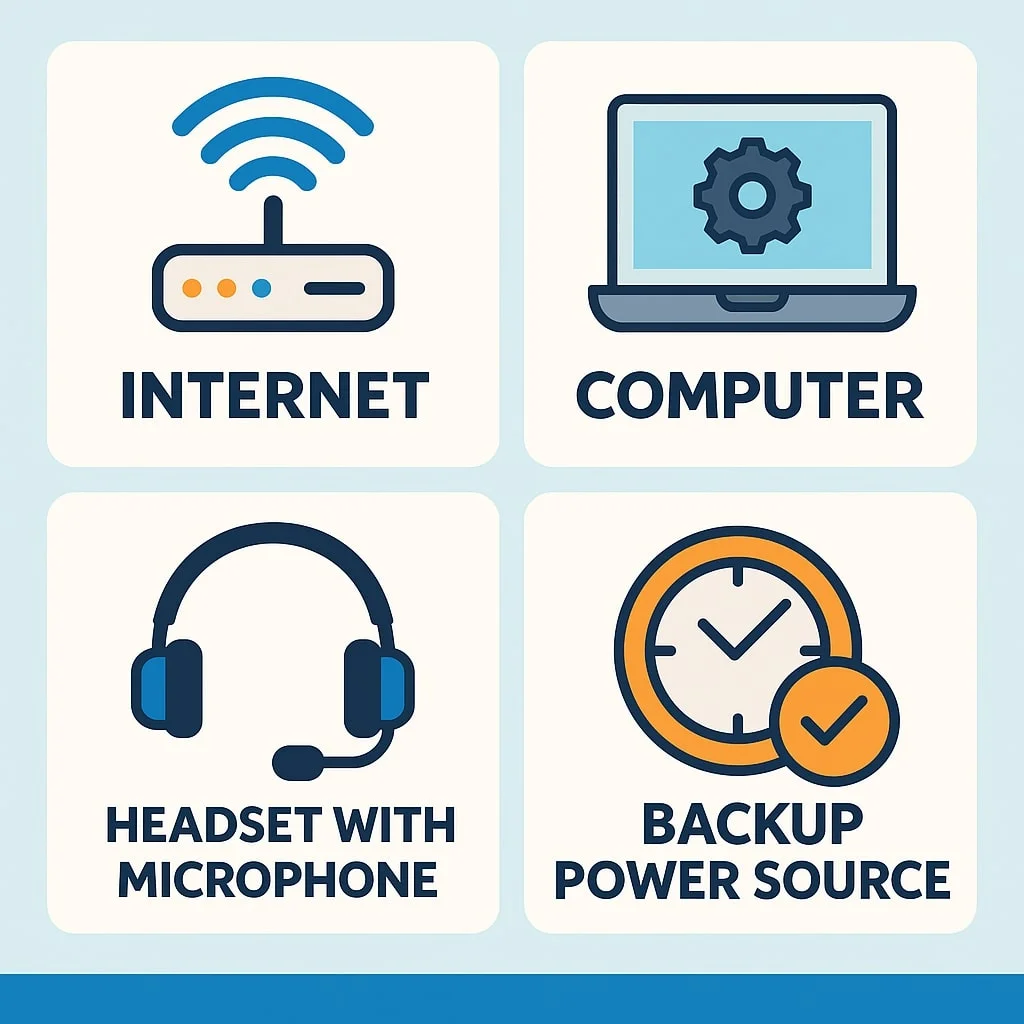
Your primary work device should be a computer or laptop with a modern processor (Intel i5/Ryzen 5 or higher), at least 8GB of RAM, and sufficient storage space. This ensures you can handle multitasking, video calls, document editing, and various online tools without lag or crashes.

2. High-Speed Internet Connection

A stable and fast internet connection is non-negotiable. Aim for a connection with at least 25 Mbps download and 10 Mbps upload speed to ensure smooth video conferencing, file sharing, and consistent communication with clients. Fiber-optic or wired connections are preferred over wireless when possible.

3. Headset and Microphone

Clear audio is essential in remote communication. Invest in a quality headset with a noise-canceling microphone to minimize background noise and deliver professional-level sound during calls or meetings.

4. High-Quality Webcam

Video calls are a standard part of virtual assistant work, so a high-definition (HD) webcam is important. A built-in webcam may suffice, but for better clarity, consider an external HD webcam with at least 720p resolution.

5. Communication and Collaboration Tools

To stay connected with clients and teams, you'll need to be familiar with popular platforms such as:

  • Skype: Ideal for quick chats and video calls.
  • Zoom: Widely used for client meetings and team calls.
  • Microsoft Teams: Preferred by many corporations for chat, calls, and document sharing.
  • Google Meet: Another great option for video communication, especially within G Suite workflows.

Optional But Recommended Tools

While not always required, these additional tools can enhance your VA setup:

  • Dual Monitors: For increased productivity and better multitasking.
  • Backup Internet or Mobile Data: Useful in case of service interruptions.
  • Cloud Storage: Platforms like Google Drive or Dropbox make sharing files and documents easy and secure.

Equipping yourself with the proper technical tools not only improves efficiency but also builds trust with clients who depend on you for reliable support. Investing in a strong technical foundation is the first step toward long-term success as a virtual assistant.

Latest Virtual Assistant Jobs

Fresh remote VA roles — apply directly

View all →

AI Data Annotation Specialist - Remote - OpenTrain AI

WorldwideREMOTE

Social Media Manager at Huckleberry Labs - Remote

WorldwideREMOTE

Social Media Manager at Career.zycto - Remote

WorldwideREMOTE

Manage Live Chat Interactions as a Chat Assistant - Remote - frontendnode-production

WorldwideREMOTE

For Employers

Hire a Virtual Assistant

Browse pre-vetted Filipino VAs and post your first job in minutes.

Get started

For Job Seekers

Find Virtual Assistant Jobs

Browse hundreds of remote VA roles and apply directly to companies.

Browse jobs

Popular Guides

  • How to Navigate Jobs in Virtual Assistant: A Step-by-Step Guide
  • How to Start a Virtual Assistant Business: A Step-by-Step Guide
  • How to Utilize Virtual Assistant Services for Small Businesses
  • How to Hire a Realtor Virtual Assistant: A Complete Guide
  • Finding Indeed Virtual Assistant Jobs: A Complete Guide

On this page

  1. 1.1. Reliable Computer or Laptop
  2. 2.2. High-Speed Internet Connection
  3. 3.3. Headset and Microphone
  4. 4.4. High-Quality Webcam
  5. 5.5. Communication and Collaboration Tools
  6. 6.Optional But Recommended Tools

Looking for VA work?

Browse VA JobsHire a VA